
Statistics show how your planning is doing over a longer period. Only administrators can view statistics.
How it works
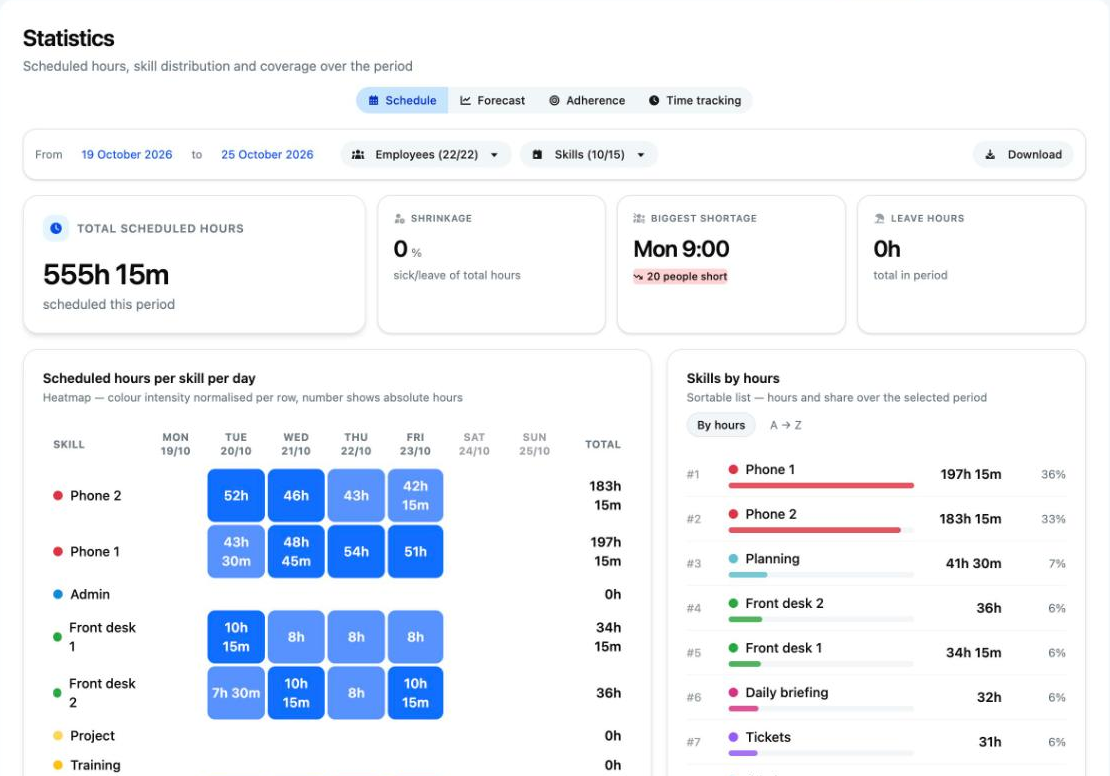
- Go to Statistics and choose a tab.
- Choose the period. By default this is the current week, Monday to Sunday.
- Use Employees and, where available, Skills to choose who and what you want to see. All skills are selected by default.
The tabs
- Schedule: scheduled hours per skill and per employee, leave hours, Shrinkage and shortage or surplus per hour.
- Forecast: predicted versus actual call volume, the Forecast accuracy and the available and required hours per day. Leave and illness have already been deducted from the available hours.
- Adherence (only with adherence): the Team average compared with your target, per day and per employee. Use Edit target to set the target, from 0 to 100 per cent.
- Time tracking: for each employee, the hours from the schedule compared with the contract hours, with the Balance.
Downloading
- Choose the tab and the period.
- Click Download on the right of the filter bar. You get an Excel file (.xlsx) with the figures from that tab for the selected period.
The button is grey while Teamlead is still calculating the figures.
Good to know
- You can select up to 400 days at a time.
- Scheduled hours are counted per 15 minutes, just like in the schedule. This also applies to the download.
- The selected tab and period are in the web address. Share the link with a fellow administrator to show them the same view.
- Days without a published schedule show zero.
- Actual calls only come in after the end of a day. Without measured data there is no accuracy.
- A day without adherence data does not count as 0 per cent. In a period average, every day carries equal weight.
- Time tracking uses the hours from the schedule, not clocked time. On Monday morning everyone seems to be behind, because the contract hours for the whole week are already counted.
- Unpaid breaks do not count as worked time (see Why does a day of leave count an extra half hour?).
Not working?
- Select a period of at most 400 days: make the period shorter.
- Select at least 1 employee or Select at least 1 skill: select someone or something in the filter.
- Download not working? Ask your IT department to check whether the network is blocking the download. See Statistics differ or show an error.