
If you log in with your email address and password, you manage that password yourself. If your organisation logs in with SSO, you do not have a Teamlead password (see "Good to know").
Forgotten password
- On the login screen, click Forgotten your password?.
- Enter your Email address and click Reset password. You see Sent successfully.
- Open the email New password for Teamlead and click Set new password.
- On Set new password, fill in your new Password and Repeat password.
- Click Save password. You are logged in and arrive on the Dashboard.
Changing your password
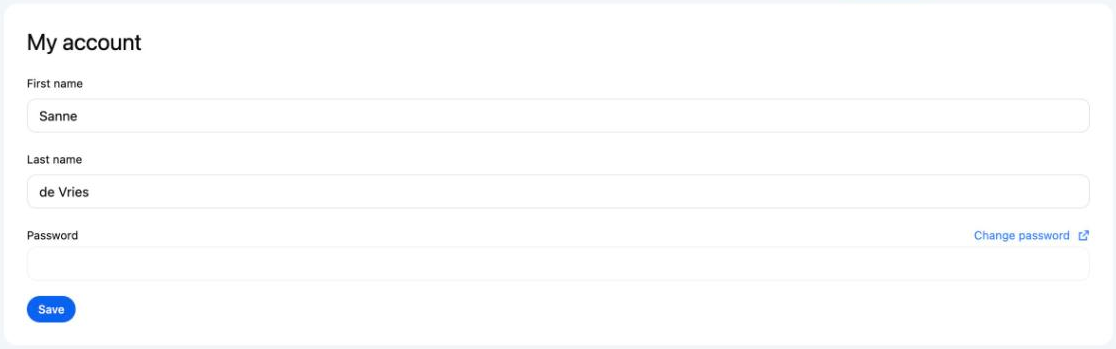
- Click your name at the top right and choose My account.
- Under Password, click Change password.
- Fill in Current password, New password and Repeat new password.
- Click Save.
Password requirements
- At least 8 characters.
- Not too similar to your name or email address.
- Not a commonly used password.
- Not only numbers.
- Both fields must be exactly the same.
Good to know
- Received a temporary password from support? Log in with it and set your own password straight away via Change password. Enter the temporary password under Current password. If the temporary password no longer works, use Forgotten your password?.
- The link in the email is valid for 3 days and works once.
- You always see Sent successfully, even if the email address does not belong to an account. If no email arrives, check that you used the right address.
- Logging in with SSO? Then your organisation manages your password. If your organisation has switched off logging in with a password, Forgotten your password? is not shown on the login screen. Lost your password? Ask your IT department.
Not working?
- No email: check your spam or junk folder. See also I am not receiving an invitation or reset email.
- This link is invalid. Request a new one.: the link is older than 3 days or has already been used. Request a new link via Forgotten your password?.
- You see the message "Your account has no password yet": your account does not have a password yet, for example because you log in with SSO. Contact support@teamlead.io if you do need a password.