
Each location in Teamlead schedules in one of two ways. That method determines where you create the schedule and how you publish.
Repeating shift template
- You create a fixed pattern of one or more weeks, for example a week 1 and a week 2 for odd and even weeks. That pattern keeps repeating.
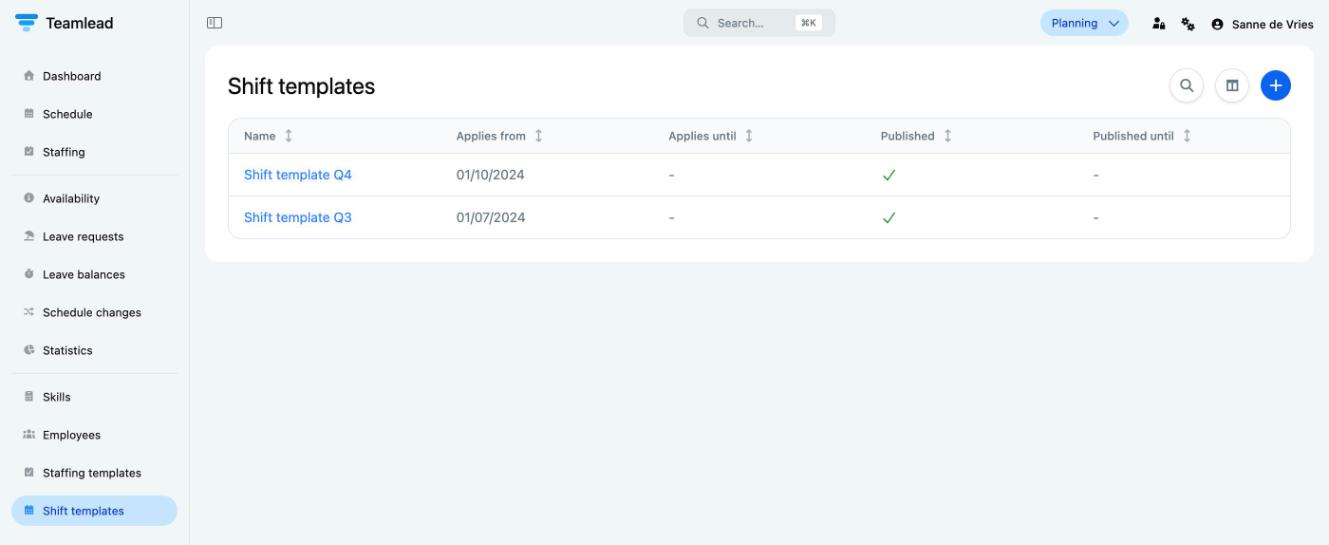
- You create and publish it under Shift templates. Each shift template applies from its own start date.
- You handle one-off exceptions, such as illness, leave or a meeting, on the Schedule page. These take precedence over the shift template.
- Suitable if your team works roughly the same hours every week.
Continuous schedule
- You schedule each date separately, directly on the Schedule page. The Shift templates menu item is then not there.
- You decide up to which date the schedule is published (Published until). Later days are a draft that employees cannot see yet.
- You fill the schedule by hand or with Automatically fill.
- Suitable if the schedule is different every week.
Which method does my location use?
- Is Shift templates in the menu? Then you work with shift templates.
- Is Shift templates not in the menu, and do you see Published until: with a date above the schedule? Then you schedule continuously.
Good to know
- Teamlead sets per location which method you use. Want to switch? Email support@teamlead.io.
- In Shift template mode you can also choose Continuous: a shift template in which you plan per date. The articles here assume Repeating template.
- With both methods, the staffing template is the starting point: how many people you need per skill and per quarter hour. Automatically fill uses that staffing template.
- Employees only see published days.
- Changes on published days appear under Schedule changes. You can email employees about them (see Notifying employees about schedule changes).