
Teamlead has two kinds of locations. A location is a department or branch with its own schedule. A work location is the place where someone works that day, such as the office or home.
Locations
- Each location has its own employees, skills, settings and schedule.
- Do you have access to more than one location? Then choose which one you see under Location at the top right. Almost all administration screens work on the selected location.
- You can see the details of your location under Settings > General.
- Teamlead adds locations and changes their name, working days or opening hours. Email support@teamlead.io for this.
Giving an employee access to another location
Only an account manager can do this.
- Click the gear icon at the top right and choose Account management. Open the account.
- Under Employee type, choose a type for that location, for example Regular.
- Click Save.
The employee gets their own profile at that location, with the default skills and default work times. Check them in the profile.
Setting up work locations
- Go to Settings > Work locations and click New work location.
- Enter a Name and choose an Icon, for example House or Office. You can also choose a number or letter.
- Click Create.
- Use Sort order to set the order in which you click through the work locations.
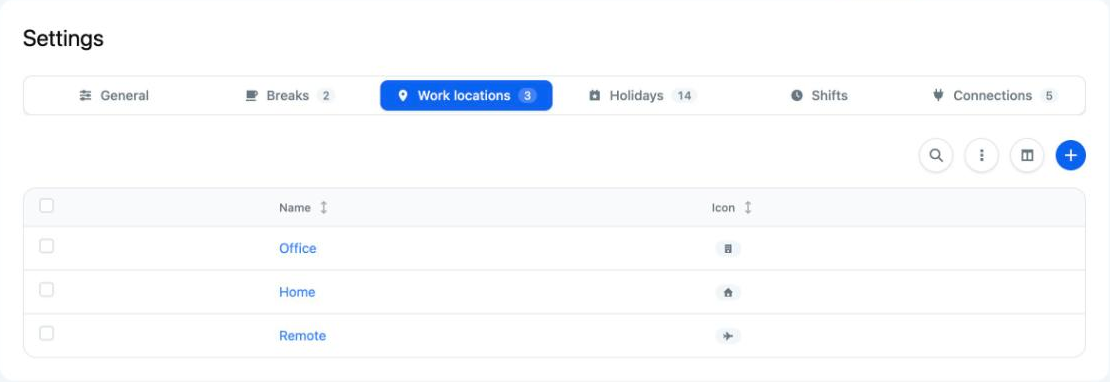
You use work locations in two places:
- in an employee's profile, per day;
- in a skill, in the Locations block. Automatic scheduling then only gives the skill to employees who work at that work location that day. For example, the front desk only at the office.
Good to know
- You set up work locations per location.
- Does an employee have no work location that day? Then automatic scheduling does not give them skills that are tied to a work location. You can give such a skill manually; you then see a warning.
- Do you not see any work location icons in the schedule, even though you have work locations? Then hybrid working is turned off. Teamlead can turn it on.
- Does someone work at the office in the morning and at home in the afternoon? Create a separate work location for this, with its own icon. A work location applies to the whole day.